Showing posts with label drama. Show all posts

Iconic teen video

By // No comments:
Using video clips with teenagers can be enormously motivating for them, IF you get the right content. Getting the content right involves taking a look into the lives of our students and finding out what kind of things they are watching.

One of the most high profile examples of this is LonelyGirl15.
LonelyGirl15, which became a Youtube phenomenon, depicted a young teenage girl talking to her camera and discussing some of the intimate, bizarre and often incredibly trivial issues of her life. The ‘show’, a series of 2 -4 minute clips, was soon attracting audiences of millions and it soon emerged that it was a ‘fake’ and that the LonelyGirl15 was an actress working with a small film crew and script writer.
Since then the show has transformed into a sort of on going thriller. there is now both a UK version, KateModern as well as the original LonelyGirl15 series.
For more information on the plot and background see: LG Pedia

These two shows provide a huge potential source authentic language as teenagers in the UK and North America speak it. It’s also wrapped up in a context and genre which teenagers / 20-somethings can identify to. Though using this material isn’t without its pitfalls and drawbacks.

What I like about it
  • The clips are short, but self contained and will download quite quickly.
  • They really show the way that English is being used by young adults.
  • The clips are quite enigmatic and the story is inferred and implied rather than depicted, so the material can be useful for developing students thinking and deductive skills.
  • Many of them deal with young people’s issues and attitudes
  • The characters seem like very ordinary people
  • The clips can be very engaging

Here’s a just a couple of examples, from a collection of hundreds of clips which I think could well be usable.

From LonelyGirl15: Boy problems


From LonelyGirl15: Parent problems


From KateModern: A proposal


From KateModern: The order


Some ideas for using this material with students
  • Students to watch a single clip and make deductions about the story, what’s been happening to the character, what the relationships are to other people mentioned etc.
  • Students to watch different clips then build up and exchange character information and try to decide what the relationships are between various characters
  • Students view the clip without sound and make deductions about the topic and mood of the person
  • Create gist or specific information questions
  • Get your students to watch and then write questions that they would like to ask the character
  • Get your students to create and video their own response to one of the characters in the videos
  • Get your students to watch for cultural information and look for things that would be different with their own culture (clothes, household objects, way people interact, gestures etc.)
  • Get students to watch and compare a clip from the UK and the North American series and identify differences in the use of language.
  • Get students to watch and compare a clip from each series without sound and look for cultural and environmental differences between UK and North American culture
  • Create discussion classes around some of the issues touched on in the clips
  • Students create their own localised version of the series.
What I'm not so sure about
  • Some of the clips contain violence and bad language and show young people drinking. This is something you might actually ant to deal with in class, or avoid altogether, so be careful which clips you choose.
  • You might have to be prepared to defend your use of this kind of material if your students go home and start watching it in front of their parents
  • Much as I find this view into the world of 'young people today' (Did I really write that?) quite intriguing I also find it slightly disturbing
Anyway, whether we like this kind of content or not, it does seem to be the kind of thing that is becoming increasingly popular as internet entertainment, and if we really want to engage with our students and engage them in our classes, I don't think we can afford to ignore it.

I would also love to hear from anyone who has been using LonelyGirl15 or KateModern with your classes, so please post a comment and share your experience.

Best

Nik

Soundscapes from Soundtransit

By // No comments:
Sound Transit is a really wonderful formulation of an idea. It's not just a huge collection of Mp3 sound files from all over the world, but the sounds have been tagged by country and described and a visitor to the site can take a sound journey around the world.

You just choose your country of origin, your destination and how many stops you want to make. You then get offered a choice of itineraries with stops at various destinations and descriptions of what you will hear there. You choose the one you want and then the site edits together the individual sounds to create a unique sound journey for you. You can then download your mp3 sound journey, listen to it online or send it to a friend.
  • To try this go to the Book a Transit part of the site. It's just like booking a flight on an airline website (except that it's free and a lot more user friendly!!)
Alternatively you can search the database of individual files by country, keyword or creator and just download the sounds you want. All the sounds are licensed under creative commons 2.0 so you can save and reuse them according to the limitations defined by that license.
How to use this with students
  • You can use the sounds for visualisations. Get the students to listen with closed eyes then write about what they heard. Or they can create a story from what they heard.
  • You could collect four or five clips for students to listen to and then get them to create a chapter / episode of a story around each one.
  • You could use them for grammar practice ( e.g. present continuous "Someone is speaking." etc.)
  • You could get the students to use the site to plan a holiday with four or five destinations then use the descriptions in the itinerary to say what they 'will / are going to' do at each place. They can then choose the best holiday. For past tense practice they can tell other students what the did on their holiday while the students listen to the sounds.
  • For vocabulary practice they could just listen and say the things they hear. This will probably involve a lot of guessing, so you could extend this for practice of modals of probability (e.g. It might be someone eating, It can't be in Argentina. That must be a car door etc.)
  • You could use this site to give students inspiration to collect their own sounds and to tell the rest of the class about them. They could even upload them to the site and share them.
  • They could create their own sound journeys ( e.g. Going to school, what they did at the weekend etc.)
  • You could play 'Guess the sound' as a warmer with student and award points to each student or team.
  • You could ask students to find their favourite sounds or talk about what the sounds remind them of. (e.g. This is one of my favourites. It's the call to prayer. This one was recorded in Delhi, but it reminds me of when I lived in Cairo. I went out to Giza one evening and listened as thousands of mosques from all over Cairo erupted in to a grand symphony of sound.)
    Listen here
  • You can use the sounds to create atmosphere for story telling activities or student plays
  • You can play the John Cage game and just get the students to sit silently and listen to the sounds around them in the school classroom ( for 4 mins and 33 seconds) then talk about what they heard. You could also tell them about the famous John Cage composition 4'33" afterwards and ask them what they think of it.
  • You can play "Where am I?" by playing them one of the sounds and asking them to guess where you are. Try this one. I'm in a cafe in Moscow getting some coffee
What I liked about this site
  • It's a wonderful free resource with a huge collection of sounds.
  • It can really get students thinking about the sound environment they live in.
  • I love the idea that the sounds are tagged to countries and that students can book a sound journey.
  • The creative commons license
What I wasn't so sure about
  • Some of the sound journeys are quite long if you add a lot of stops
  • Some of the sounds are quite unusual and could require quite a high level of language to describe, but I think this just means that you have to choose the activity that you use carefully and be selective.
Anyway. This is a site that I really enjoyed and I'm now determined to go out and start recording some of my own sound adventures. As I'm based in Morocco I thought I would finish this posting with the sounds of the Marrakech market recorded by Reza Tahami.

To download any of the sounds you just need to right click and then click 'Save As..'

Best

Nik

Prompting reading speeds

By // No comments:
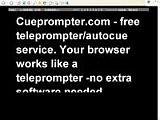
This is a really handy little tool which is doing the rounds at the moment. It's called CuePrompter and it's an online Teleprompter.

For those not in the know, a Teleprompter is a tool used by news readers, TV presenters etc to help them remember their lines. They read it from above the camera.

This one is very simple to use and you simply cut and paste your text into the field, choose screen size, text size and colours and click a button and you are off.


Once you have your text up on the screen you can then choose the speed that the text moves at and also do a few interesting things like having the text reverse or having the text as a mirror image!
How to use this with students
This could be really useful to push your students reading speed and gist reading. Many students find it very difficult not to focus on every word of a text and get stuck when words come up that they don't know. With a tool like this, you can literally force them to scan the text and keep moving.

To get the best from this in class you are going to need a data project or an interactive whiteboard (IWB).

Some possible tasks:
  • Paste in a news text and actually get your students to read it as it scrolls. You could repeat and gradually increase the speed.
  • Put students in pairs / groups to read out load the parts of plays or dialogues. With short dialogues you could get them to read through a few times and then play the mirror image and see if they can still remember and follow the dialogue.
  • Play the text through in it's mirrored inversion first and see how much Sts understand (make it a short text though and don't expect too much)
  • With short texts you could try to get students to read the text the write down what they have read. You'll need to re-show the text a number of times if you want them to get every word, or they could just summarise after a couple of times through.
  • Try playing your text through at high speed the first time and get students to try to guess what it's about and then gradually slow down the speed each time so they develop a better understanding.
  • To get students doing some TPR ( Total Physical Response), write a list of instructions and get the students to do them in the order they appear on the prompter. It might also be fun to gradually increase the speed of the text and see if the students can keep up!

If you decide to get students to read out loud from the text then I think it's handy to use texts that were designed to be read aloud such as plays, poems or the text from a news report. You could even get students to produce their own texts or texts for each other.

What I liked about this
  • It's free
  • It's really simple to use
  • You can create materials in seconds
  • It doesn't involve downloading anything or using loads of bandwidth
  • It gives the teacher control of the text
What I wasn't so sure about
  • It doesn't work so well in the Firefox browser, though it's fine in IE
  • It would be useful to be able to save and embed the texts into other pages
  • It gives the teacher control of the text
Hope you find this useful and if you have any other suggestions for tips or activities by all means add a comment below.

Best

Nik

Drama project tools

By // No comments:
Celtx is a nice free project work tool that can help give real shape to your class projects and make for much greater involvement and collaboration between students. It's a fee piece of software designed for creating media type projects such as movies, advertisements, screen plays, theatre plays etc.
Once you've downloaded and installed the software, you choose what kind of project you want to create and then complete a series of templates which help you to outline various scenes, describe characters and assign roles, create story boards, index the different scenes and move the around. You can even upload images and videos of various parts or the project.

What's also really nice is that you can upload the work to the Celtx centre server and work collaboratively with a group of people online and when you have finished you can even publish your work for other users of the software / site to critique.

How to use this with students
When ever I've tried to do drama, video or machinima projects with students, it's often been a bit of a disappointment, they end up producing something that isn't very good or well thought out and they don't really produce much language along the way. With a tool like this you could structure the whole of your project and have them involved the whole time, so that they work together towards the actual project performance over a number of lessons.

There are some useful example projects which are downloaded with the software too and examining one of these could also form the basis of a lesson

A good way to get students into using this might be to take an existing short story and analyse it and input the information from the story into the software to turn it into a play or movie.
There are some nice tips here on common grammar and other mistakes when writing a screen play.

What I liked about it
  • It's free and a reasonably small download
  • It can be used by groups working collaboratively online
  • It can help to give real shape and a professional feel to creative / drama projects
  • You can download versions for MAC as well as PC and in quite a few different languages
  • It's nice to be able to share projects and look at other people's projects on the user community
  • It's pretty simple to use
  • There are some online tutorials to help you understand the software, though they tend to be a bit long and wordy.

What I wasn't so sure about
  • Project work can be quite an undertaking for a teacher and a class and involve loads of planning and commitment. You would need a good bit of practice with the software to make sure you are comfortable with it before launching into a project.

If you are already running drama type projects and want to get students more involved in the creative process and working on their own original projects, then I think this is a really useful professional level tool.

It would also work really well in conjunction with Moviestorm if you were thinking of launching into a Machinima project and would help you and your students to keep track of the work you do within the movie creation software.

I've actually downloaded this myself and started using it with some of my own creative media projects, so I'll let you know how I get on.

Hope you find it useful

Best
Nik

Labels